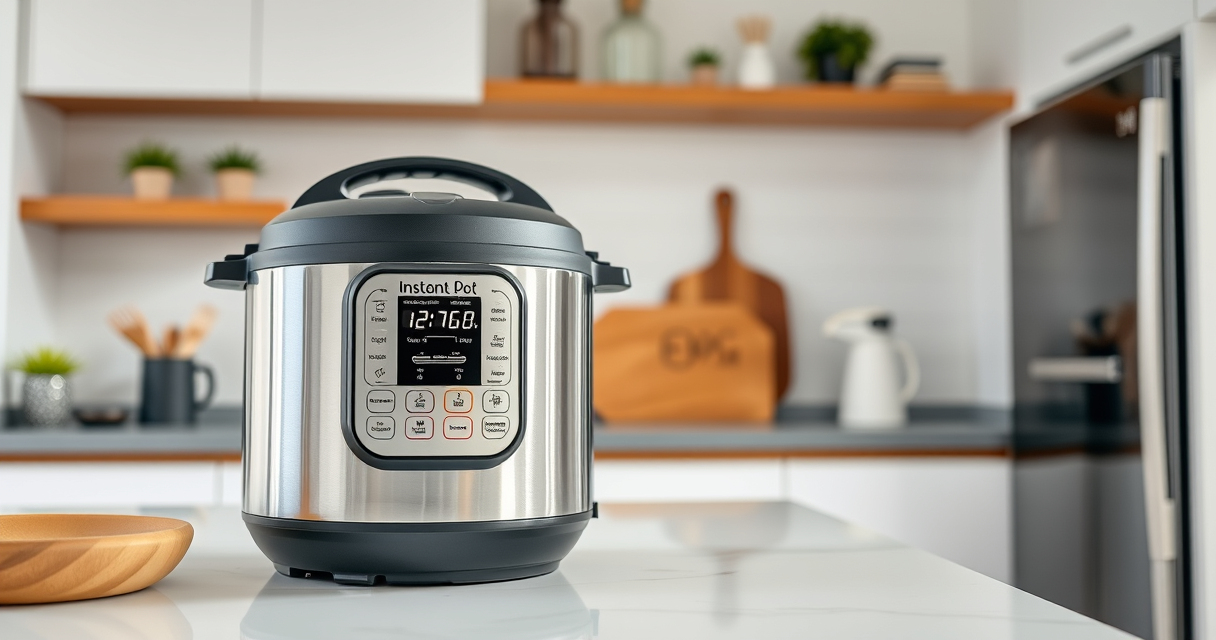

If your Instant Pot displays a burn warning, it can be concerning. This common error often occurs due to food sticking to the bottom or pressure build-up issues. Fortunately, with proper troubleshooting, you can resolve it quickly and safely, ensuring your meal turns out perfectly.

Get kitchen staples and gadgets delivered free — and shop member deals
- Fast, free delivery on millions of items
- Access to Prime Big Deal Days deals on October 6–7
- Prime Video, Amazon Music and more included
In this guide, we’ll walk you through practical steps to identify causes, fix the problem, and prevent future burn errors. Always prioritize safety and follow manufacturer instructions for your specific model.
Key Takeaways
| Main Cause | Food sticking or burning at the bottom of the inner pot |
| Key Fix | Add enough liquid and scrape food residue |
| Prevention Tip | Avoid overfilling and use proper ingredients |
| Safety Note | Never open the lid until pressure releases completely |
| Common Fixes | Releasing pressure, cleaning, and adjusting ingredients |
Identify the Cause of the Burn Error
- Check if the inner pot has food stuck to the bottom or if ingredients are overfilled.
- Ensure there is enough liquid in the pot; at least 1 cup for most recipes.
- Look for burnt residue or food that might have caused the warning.
Safely Release Pressure and Open the Lid
- Press the ‘Cancel’ button to stop cooking.
- Allow the pressure to release naturally for 10-15 minutes, or use the quick-release method if safe.
- Once pressure is fully released (float valve down), carefully open the lid.
Clean and Prepare for a Restart
- Remove the inner pot and wipe out any burnt food or residue.
- Check the sealing ring for proper placement and cleanliness.
- Ensure the bottom of the inner pot is free of food debris.
Adjust Ingredients and Settings
- Add sufficient liquid — at least 1 cup — to prevent burning.
- Stir ingredients well before cooking to prevent sticking.
- Use the ‘Sauté’ function to deglaze the bottom if needed.
- Set the pressure cooker to a lower temperature or shorter cooking time if overcooking occurs.
Prevent Future Burn Errors
- Avoid overfilling the inner pot—leave at least 1-2 inches of space.
- Use ingredients that are less likely to stick or burn, and add enough liquid.
- Regularly inspect and replace the sealing ring if it becomes worn or damaged.
- Always follow recipe guidelines for liquid amounts and cooking times.
The Products in This Guide

Instant Pot 4QT RIO Mini 7-in-1 Multi-Cooker
- ✔ Capacity: 4QT
- ✔ Functions: 7-in-1
- ✔ Color: Rosewater

AOZITA Steamer Basket
- ✔ Material: Stainless Steel
- ✔ Size: Fits 6 & 8 QT
- ✔ Design: Stackable 2 Tier
Instant Pot 4QT RIO Mini 7-in-1 Multi-Cooker
The Instant Pot 4QT RIO Mini offers versatile cooking functions in a compact design, making it ideal for small kitchens, singles, or small families. Its anti-spin feature ensures steady stirring, and seven cooking modes simplify meal prep.
Pros:
- 7-in-1 multi-functionality
- Compact and easy to store
- Steady anti-spin design
- Fast cooking times
Cons:
- Limited capacity for large meals
- Learning curve for new users
- Requires attention to liquid levels
Best for: Small households, quick meals, versatile cooking needs
Not ideal for: Large families or batch cooking needs
Bottom line: A versatile, space-saving cooker ideal for small-scale meal prep.
AOZITA Steamer Basket
The AOZITA Steamer Basket adds great utility to your Instant Pot, allowing you to cook multiple items simultaneously while keeping ingredients separated. Its two-tier design is a smart addition for batch cooking.
Pros:
- Two-tier design
- Stainless steel mesh
- Fits 6QT and 8QT models
- Easy to clean
Cons:
- May be bulky for small pots
- Requires careful stacking
- Not suitable for very delicate foods
Best for: Steaming vegetables, seafood, or multiple dishes at once
Not ideal for: Cooking large quantities in one layer
Bottom line: A practical accessory that maximizes your Instant Pot’s steaming capabilities.
Frequently Asked Questions
Can I open the Instant Pot immediately after a burn error?
No, you should allow the pressure to release naturally or use quick release once the float valve drops to ensure safety.
Why does my Instant Pot keep giving a burn warning?
Common causes include food sticking to the bottom, insufficient liquid, overfilling, or ingredients that tend to burn easily.
How do I prevent burn errors in the future?
Add enough liquid, avoid overfilling, stir ingredients well before cooking, and regularly clean the sealing ring and bottom of the inner pot.
Is it safe to keep cooking after a burn warning?
It’s best to address the cause, clean the pot, and ensure proper ingredients before restarting to prevent damage or safety hazards.
Quick, Safe Solutions for Your Instant Pot Burn Error
Dealing with a burn error can be frustrating, but with careful troubleshooting and proper maintenance, you can resolve it safely. Always check your ingredients and liquid levels, release pressure properly, and clean your cooker regularly. These steps will help ensure your Instant Pot runs smoothly and safely for years to come.
Affiliate disclosure: As an Amazon Associate we earn from qualifying purchases. Prices and availability are accurate as of the time of publishing.
Halloween Picks
halloween
As an affiliate, we earn on qualifying purchases.